

Available on:
Antigravity IDE
Antigravity IDE: Tab and navigation
Section titled “Antigravity IDE: Tab and navigation”This guide covers the core navigation and completion tools: Supercomplete, Tab-to-Jump, and Tab-to-Import.
Supercomplete
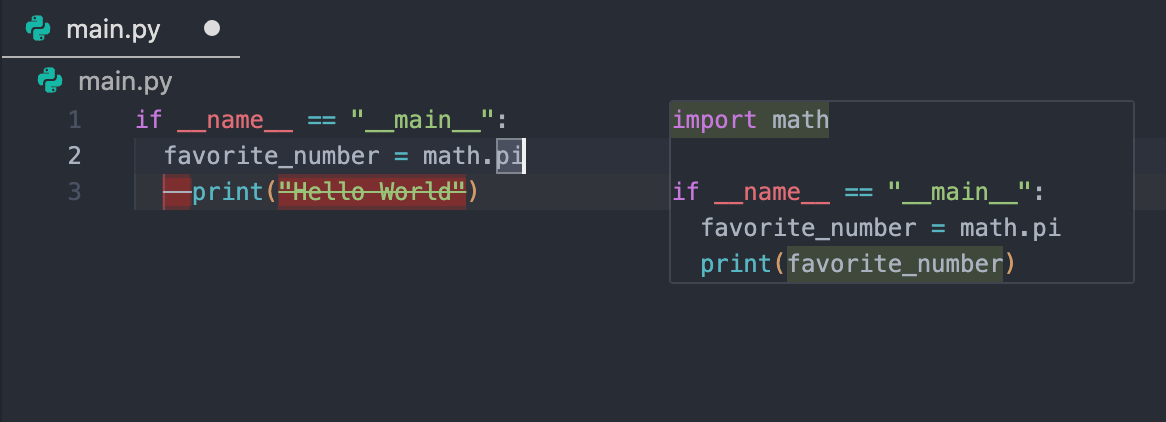
Section titled “Supercomplete”Supercomplete provides code suggestions in a region near your current cursor position.
How it works
Section titled “How it works”Supercomplete includes the following capabilities:
- File-wide suggestions: Suggestions can modify code throughout the document, handling tasks like changing variable names or updating separate function definitions simultaneously.
- Accepting: Press
Tabto accept the changes.
Tab-to-Jump
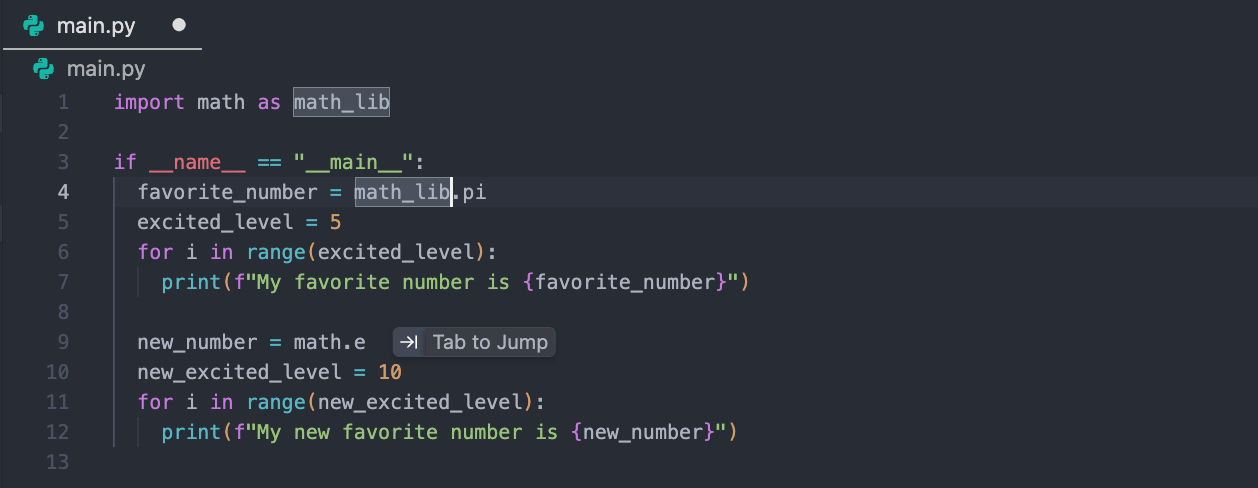
Section titled “Tab-to-Jump”Tab-to-Jump is a fluid navigation tool that suggests the next logical place in your document to move your cursor to.
How it works
Section titled “How it works”Tab-to-Jump works in the following ways:
- Navigation: A Tab to jump icon appears, offering to move your cursor to your next logical edit location. Press
Tabto immediately move your cursor to that location. - Accepting: Press
Tabto accept the jump.
Tab-to-Import
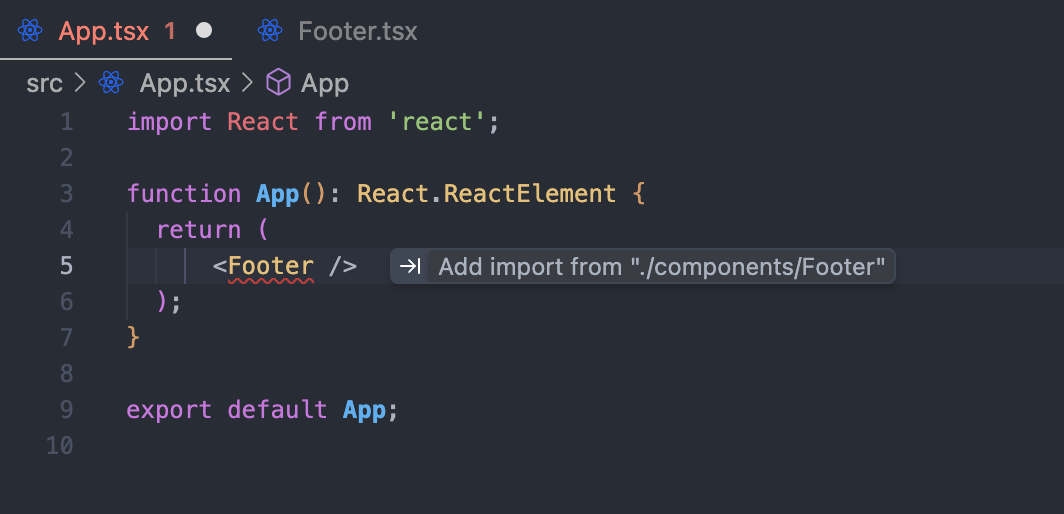
Section titled “Tab-to-Import”Tab-to-Import handles missing dependencies without breaking your flow.
How it works
Section titled “How it works”Tab-to-Import works in the following ways:
- Detection: If you type a class or function that isn’t imported, Antigravity suggests the import.
- Action: Press
Tabto complete the word and immediately add the import statement to the top of the file.
Settings
Section titled “Settings”In your settings, you can customize the behavior of these features:
- Enable or disable features: You can individually turn off Autocomplete, Tab-to-Jump, Supercomplete, or Tab-to-Import.
- Tab speed: Controls the responsiveness of suggestions:
Slow: Waits for more context before suggesting.Default: Offers a balanced pace.Fast: Provides rapid-fire suggestions.
- Highlight inserted text: When enabled, text inserted using Tab is highlighted so you can track changes easily.
- Clipboard context: When enabled, Antigravity uses the contents of your clipboard to improve completion accuracy.
- Allow gitignored files: Enables Tab features (suggestions and jumping) within files listed in your
.gitignorefile. Tab ignores gitignored files only if Git is installed.